

See what was paid, beside what you spent.
Your revenue view reads payments, subscriptions and recent charges straight from Stripe, live. The connection is read only, so a charge, a refund or a subscription change is made in Stripe itself, and card numbers stay with Stripe, never read or stored by us.

What will I see from Stripe?
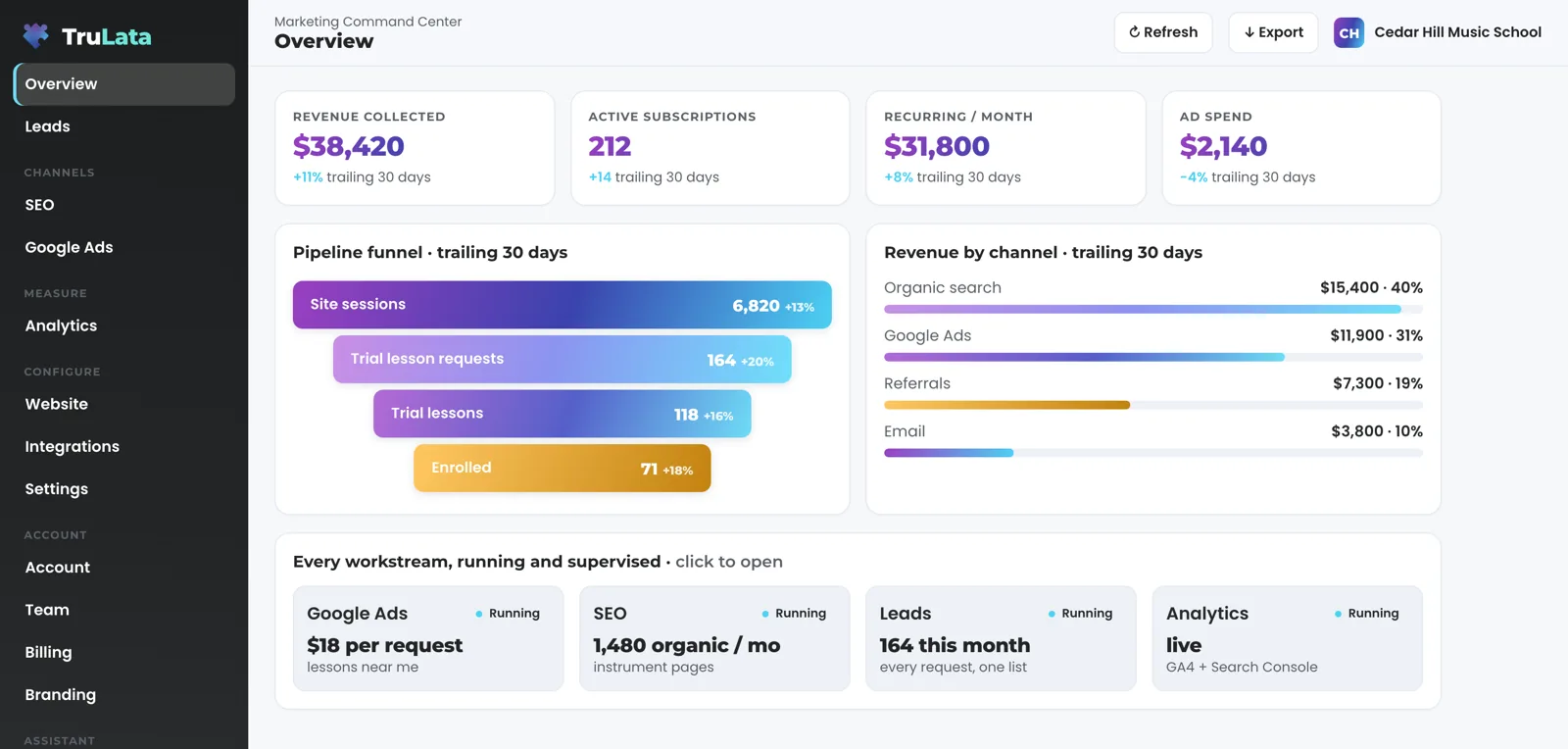
Payments, subscriptions and recent charges, read through Stripe's own API. Open the revenue view and the stat row at the top shows revenue collected, the number of payments, active subscriptions and the recurring figure per month. A table lists the subscription tiers or offers you sell, with the price or revenue and the count beside each. Below it, recent payments run newest first: the date, the amount, what it was for and who paid. Open any row for its detail.
How fresh is the number on my screen?
Live. Stripe records a payment when it succeeds, and a refresh reads it. Open the dashboard and it shows last night's snapshot first, fetches the live payload from a cache instantly, and runs a pull behind the request when that snapshot is older than five minutes. Press Refresh and a pull starts; the page reloads when the stamp moves, and every path through it ends in a reloaded page whose stamp says how old the data is.
The Google sources on the same screen run on a slower clock. Google Ads and GA4 intraday figures lag by hours. Search Console runs two to three days behind. The page stamps how old its data is. Stripe sits with your CRM, your booking platform, website leads and email statistics in the group a refresh actually moves. See the ceiling for every source.
The header stamp says how old the page's data is.
Can it change anything in my Stripe account?
The connection is read only. TruLata reads payments, subscriptions and recent charges from Stripe, and a charge, a refund, a subscription change or an edit to a customer, a price or a payout is made in Stripe itself, by you. A person writes four things from the screen: ask a question where that view is offered, set a lead outcome, request a website change, and request a content, keyword, category or targeting change. A request goes to your team as a logged ticket, and the engine's writes to your ad accounts and your site go through their APIs and land in each account's own change history. Stripe stays on the read side of that list.
Card numbers stay with Stripe, never read by us. TruLata reads a payment record: a date, an amount, a description and the customer, with no card field in it. Your own Billing view follows the same rule: change a card in your billing gateway's own portal, opened from Manage billing, or through a secure link our team sends, so card details stay inside the gateway.
Made in Stripe itself, by you
- Charges and refunds
- Subscription changes
- Edits to a customer, a price or a payout
Read by TruLata
- A payment record: date, amount, description and customer
- No card field in it
- Nothing written back to Stripe
Card numbers stay with Stripe, never read by us.
What do I have to do to connect it?
Grant access during setup. That is your whole part. Our team connects Stripe from the inside with that access, so your part ends with the grant. Access comes first, then the first pull and your baselines. The revenue view appears in your navigation once the connection is reading, and from its first open it carries your own figures.
Run on a payment platform other than Stripe and it is connected during setup, like any other source with an API. Run your jobs through a CRM or booking platform and a Jobs view reads them as well: jobs and their pipeline, live, shown once connected. See the Jobs view.


See what was paid, beside what you spent.
Can I see what I spent and what I was paid in one place?
Yes. The question you actually ask is not how many leads came in but which dollar made money, and a dashboard that stops at the lead leaves it open. The Leads view reads each submission your site's form handler appends to the lead sheet, newest first, and lets you set an outcome on each. The ads view records what you spent. The revenue view records what you were paid. Read them in one dashboard, one login, instead of reconciling two at the end of the month.
Every figure on it already happened. The figures on the revenue view come from your own Stripe account: payments that already happened, subscriptions active now, and the tiers or offers you sell. See what the revenue view shows and what we read and where it lives.
One dashboard, one login
- The Leads view: what came in
- The ads view: what you spent
- The revenue view: what you were paid
- Which dollar made money
- No reconciling two reports at the end of the month
What the Stripe connection reads.
| What | Where it comes from | How fresh |
|---|---|---|
| Payments | Stripe API, charges | Live |
| Revenue collected and payment count | Stripe charges | Live |
| Active subscriptions and recurring total | Stripe API, subscriptions | Live |
| Tiers or offers you sell | Stripe API, prices and subscriptions | Live |
| Recent payments | Stripe API, newest first: date, amount, what, who | Live |
| Card number | Stays with Stripe | Never read |
| Direction | Read only, Stripe to the screen | Live |
The Stripe connection is read only: payments, subscriptions and recent charges come to the screen, changes are made in Stripe itself, and card numbers stay with Stripe, never read.
Questions, answered.
Is the Stripe data live?
Yes. Stripe records a payment when it succeeds, and a refresh reads it. The Google sources on the same screen lag by hours or days, and the page stamps how old its data is.
Can TruLata charge or refund a customer?
The connection is read only. It reads payments, subscriptions and recent charges, and a charge, a refund or a subscription change is made in Stripe itself.
Do you store card numbers?
Stripe holds the card, and we never read it. We read payment records: date, amount, description and customer, with no card field.
How do I connect Stripe?
Grant access during setup. Our team connects it from the inside with that access, so your part ends with the grant. The revenue view appears once it is reading.
What if my business does not use Stripe?
Stripe is the payment platform the revenue view reads today, and a payment platform other than Stripe is connected during setup, like any other source with an API. If your jobs live in a CRM or booking platform, a Jobs view reads your jobs and pipeline as well.
Which tier includes the Stripe connection?
Your dashboard carries the views its connected sources feed. The revenue view appears once Stripe is connected on your account. The pricing page lists what each tier includes.
See it running
before you decide.
The demo is the real product on a fictional company, with your name and email in front of it. Pricing is three published tiers.
Open the live demo See pricing
New here? See what TruLata is. Prefer to write? Send us the one thing you want to know.
Start here: AI marketing platform · AI marketing software · all-in-one marketing platform · marketing automation software · marketing software for small business.
- Refreshed when you open itLive data on page load, never a monthly PDF
- Counted from your own formsLeads recorded server-side, compared daily with Ads and GA4
- Seen in AI answersHow often ChatGPT, Gemini, Claude and Grok name you, measured
- Every send loggedProspect emails leave from a review-first queue, and every send is logged.