

Stop logging into ten consoles. Read every account on one screen.
TruLata reads the accounts you already run: four from Google, your CRM, Stripe, your booking platform, your email platform, your website and Meta, and anything else with an API. Grant access once during setup; after that the page reads them when you open it, and the header stamp says when it last pulled.

What do I get from each of my four Google accounts?
Four accounts, four jobs. Google Analytics 4 supplies sessions, traffic sources, top pages and key events, so you know what your site did this week. Search Console supplies the queries you appeared for, impressions, clicks, average position and top pages; the positions on the search view are Search Console average positions, as Google reports them. Google Ads supplies spend, conversions and cost per conversion for every campaign, and keyword search volumes come from Google's keyword planner through the same access. Google Business Profile supplies your reviews, your rating and your listing performance: impressions on Maps and on Search, calls, website clicks and direction requests, on Google's schedule.
Google Ads is watched, not only read. Every morning at 7:05 Eastern a watch reads four things from your account: the change history, with what was edited, by whom and through which tool; the list of account users; the conversion actions; and the campaign settings. It reads the user list directly, because Google logs no change event when someone is granted access. Our own writes and Google's routine churn are filtered out first. A budget, a bid strategy, a campaign status or a targeting setting changed by anyone else reaches our team the same morning, with the campaign it touched and the login that made it. A new address given access to the account is raised the same way, read from the user list, so a change made under any login is known the next morning.
Connect all four the same way. Add our Google account as a manager on the property, the site, the account and the listing; it is a few clicks in each console. We never ask for your account password, and you remove the grant in the same console whenever you choose.
Expect different ages on different tiles. Google Ads and GA4 intraday figures run hours behind. Search Console publishes two to three days after the fact. Each is shown at the newest point Google has published, and the header stamp says when the page last pulled.
Four Google accounts, four jobs
- Google Analytics 4
- Search Console
- Google Ads
- Business Profile
- Sessions, sources, pages and key events
- Queries, clicks and average position
- Spend, conversions and the 7:05am change watch
- Reviews, rating, calls and direction requests
Where do the money and the pipeline on the screen come from?
From the systems that already hold them. Stripe supplies payments, subscriptions and recent charges, read live. The connection is read only: a charge or a refund is made in your own Stripe account, and customer card data is never read.
Your CRM builds the funnel. Any CRM with an API connects, including GoHighLevel, HubSpot, Salesforce, Pipedrive and Insightly. On GoHighLevel the connection has two parts: your contact record inside our CRM, which our team works from, and your own sub-account, where the dashboard reads your pipelines and stages by name, the opportunities in each and the source your CRM records on a deal. The sub-account id and its token stay server-side and are stripped from every response a browser could see, including yours. Move a deal to a new stage this morning and the funnel shows it on the next pull.
Your booking platform fills the Jobs view. Where your business runs on a CRM or booking platform, jobs and the job pipeline are read live. The Jobs view appears only when that platform is connected, and it shows a coming-soon card until the data is trustworthy.
Follow one customer through it. Someone submits your website form on Monday morning. The row lands on your lead sheet and in the Leads view on the next pull. On Tuesday your office moves the deal to a new stage in your CRM, and the funnel moves with it. On Friday the invoice is paid through Stripe, and the charge is on the Revenue view the next time anyone opens the page. Three systems, one screen, and nobody typed a number.
- Monday: a form is submittedThe row lands on your lead sheet and in the Leads view on the next pull
- Tuesday: the deal movesYour office moves it to a new stage in your CRM, and the funnel moves with it
- Friday: the invoice is paidThe Stripe charge is on the Revenue view the next time anyone opens the page
Three systems, one screen, and nobody typed a number.
How does it count my website leads and track what I publish?
Every lead is a row you can audit. Your site's form handler appends each submission to a lead sheet on the server and emails the team in the same moment, so a lead counts because the form was submitted, not because a browser tag fired. A row carries the time it arrived, the name, the phone and email, what they asked for, the message and the source. The Leads view reads that sheet newest first, and our team's own test submissions are filtered out before the list reaches you.
Set the outcome from the row. Mark a submission as not a lead, choose why (existing customer, spam, wrong number, out of area, other), add a note, and it is written to that lead's record; undo it from the same row. Where you run Local Services Ads, those marks feed the refund disputes we file with Google; everywhere, they sharpen targeting.
Content publishes through the site's own path. On a WordPress site the engine writes through the REST API WordPress already exposes, using a WordPress user and an application password you issue and can revoke; it runs plugin-free, and the credential is tested at setup and again before every automatic publish. On a Webflow or Shopify site it publishes through that platform's API. On a static site we host, it re-renders the site and redeploys it. Each piece is filed as a Google Doc in your Drive first, and its featured image is generated per piece and served from our image delivery network.
The Website view shows the site's status and takes a change request from the screen. Send it and the screen hands you a ticket number; the request is logged, and a person makes the change.
Email statistics and social metrics are read from the platforms you already run. Your email platform supplies campaign statistics live: ActiveCampaign, Mailchimp, Klaviyo, HubSpot or any other platform with an API. Meta supplies page and social metrics where the page is connected, on Meta's schedule.
A count a browser tag reports
- Counts when the tag on the page fires
- Goes quiet when the tag breaks, while the form keeps working
A row on your lead sheet
- Written server-side the moment the form is submitted
- Time, name, phone, email, request, message and source
- Emailed to your team in the same moment
- Marked with an outcome from the screen
What do I have to do to connect all of this?
Grant access once, during setup. For Google it is the manager invitation described above. For your CRM, Stripe, your booking platform, your email platform and your website forms, our team connects from the inside with the access you grant. For your website, we either host it or connect to its API. Your side of setup is the grant, and our team handles every key.
Every connection is recorded in a per-client map. That map, confirmed by a person at setup, decides which Analytics property, which Ads account and which Search Console site your page may read. The ads change watch reads the same map each morning, so an Ads account is watched from the day it is connected.
Access comes first. Then comes the first pull, your baselines, your keyword set and the ads watch switched on for your account. After that come the content cadence, the ads reports, the email flows and the program goals.
Check the Integrations view any time. On your account it lists every connected source by category, and categories arrive as their sources connect. Under the list sits a request card: describe what you want connected, send it, and it goes to your team with a ticket number.
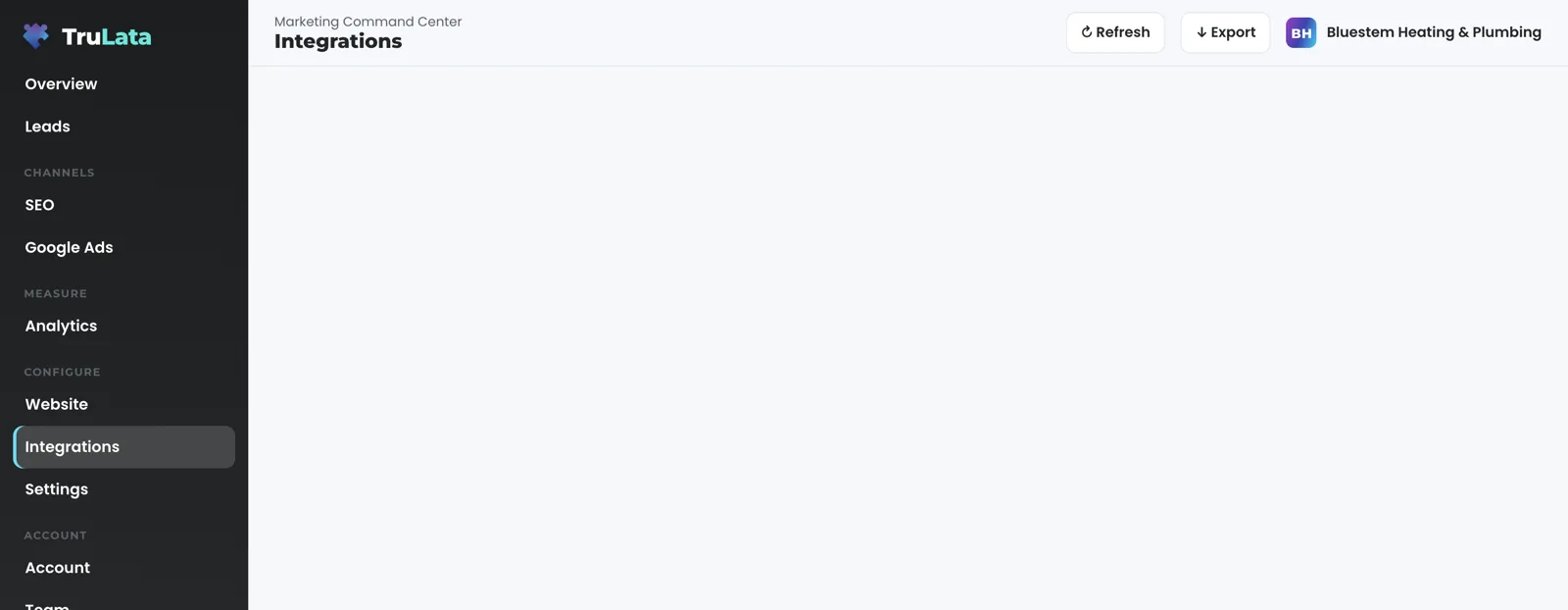

Grant access once. After that, the page reads your accounts when you open it.
What runs on its own, and what waits for a person?
The reading runs on a schedule whether anyone is at a desk. Open the dashboard and the page renders last night's snapshot first, fetches the live payload from cache, and starts a fresh pull in the background if the snapshot is older than five minutes. Ten people opening at 9am cause one pull, not ten. Press Refresh and a full pull runs, two seconds to a little over three minutes depending on your sources, and the page reloads once the stamp moves, so you can see how old the data is. At 12:01am Central a nightly job rebuilds the fallback for every client; a failed pull or a failed check leaves the previous page up, so the page you open is always whole.
Two watches run every morning. At 7:05 Eastern the ads change watch reads the change history, the user list, the conversion actions and the campaign settings of every Ads account we map, and compares each with the day before. At 7:20 Eastern, on an account whose forms feed the lead sheet, the lead watch runs five checks: the tag loader still answers; leads in the sheet but no GA4 form events; paid leads in the sheet but no Ads conversions; a campaign that was spending now at zero; and traffic arriving with no leads at all. It sets the leads that landed against the conversions Google counted, so a dead tag, a blind ad account or a stalled form is flagged the next day rather than at the end of the quarter.
Changes to your accounts are logged where they land. The engine's writes to your ad accounts and your site go through each platform's API. In your ad accounts every change lands in the account's own change history, and budget and bid changes stay within the limits set for your engagement. A website, content, keyword, category or targeting request from the screen goes to your team with a ticket number, and a person carries it out.
What runs on its own
- Snapshot first, then the live payloadA background pull starts when the snapshot is older than five minutes
- A full pullTwo seconds to a little over three minutes, then the page reloads
- Ads change watchChange history, users, conversion actions and settings, against the day before
- Lead watchFive checks, leads landed against the conversions Google counted
- Nightly bakeA failed pull or check leaves the previous page up
What is connected today, and how do I check for myself?
Anything with an API connects. Google, Meta, LinkedIn and TikTok ads, social scheduling tools and email platforms connect through their APIs, and a connector we have not built yet is built during setup. A phone lead counts when your CRM records it, and a call-tracking platform you already run connects like any other source with an API. Your inbox and calendar sit outside what the page reads today, and your customers' card data is never read. Views arrive as their sources connect, every number on them is read from its source, and the header stamp says when the page last pulled.
Freshness belongs to the source, and the page says so. Your CRM, Stripe, your booking platform, your website leads and your email statistics are live. Google Ads and GA4 intraday figures lag by hours. Search Console runs two to three days behind. Hover the stamp beside the page title and it says one of two things: the numbers were pulled live when you opened the page, or the live refresh was unreachable and you are reading the last saved snapshot.
Check it in the demo before you buy. Open demo.trulata.com in any browser; there is your name and email in front of it. It runs the same engine code every client runs, for a fictional company, and every number on it is illustrative. Click any tile and the drill-down shows the window behind the figure. Then open the Integrations view: in the demo it is a picker with a wide catalogue, because the demo is a fictional workspace; on your account it lists what is connected, by category, and the table on this page says what each connection reads and how fresh it can be.
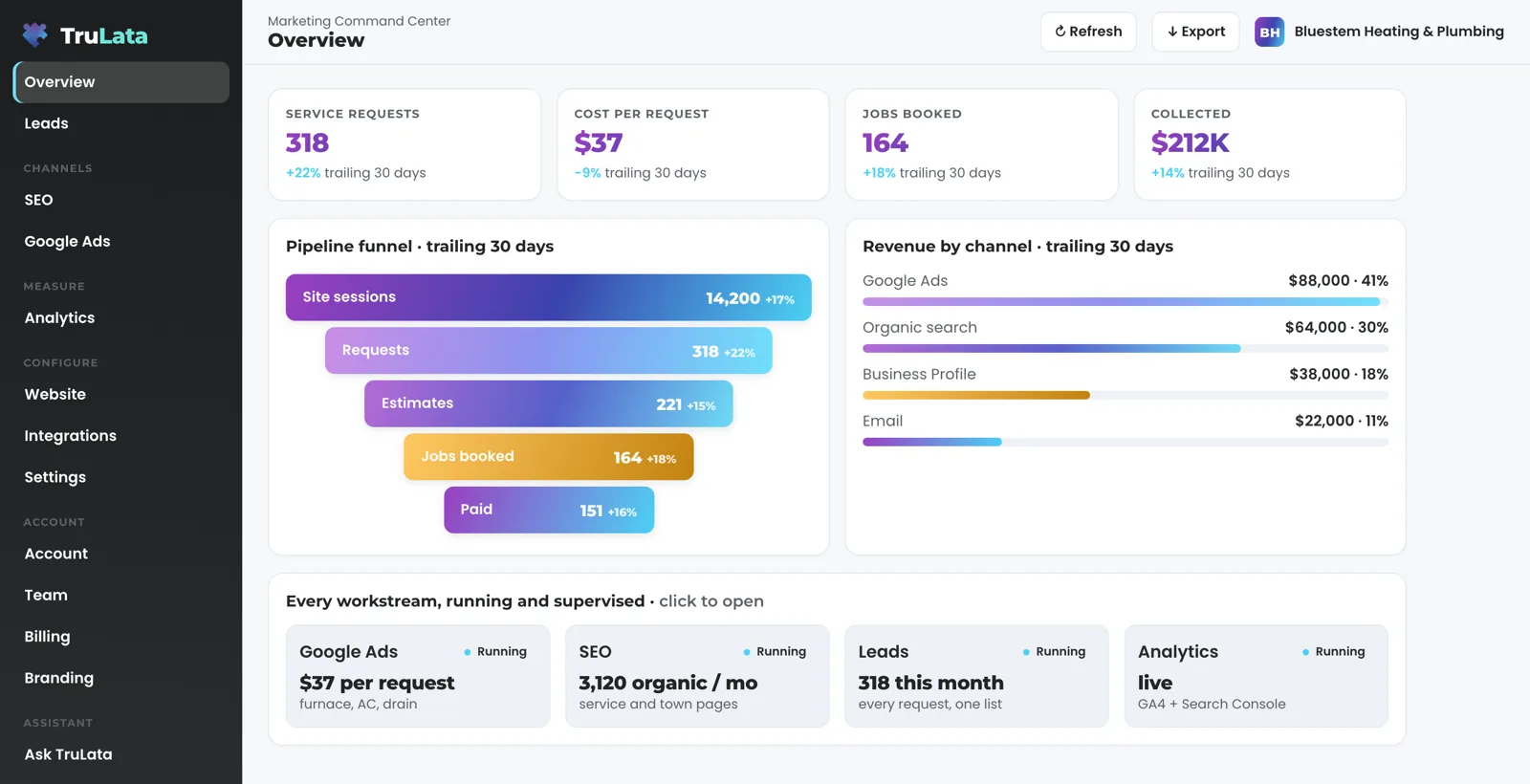
Open the page for the account you care about.
Every connection, what it reads, and its ceiling.
| What | Where it comes from | How fresh |
|---|---|---|
| Google Analytics 4 | Sessions, sources, pages, key events | Hours behind intraday, set by Google |
| Search Console | Queries, impressions, clicks, average position, pages | 2 to 3 days behind, set by Google |
| Google Ads | Campaign spend, conversions, change history, account users | Hours behind; change history and users read daily at 7:05am Eastern |
| Google Business Profile | Reviews, rating, listing performance | Set by Google |
| GoHighLevel | Pipelines, stages, opportunities, sources | Live |
| Stripe | Payments, subscriptions, recent charges | Live, read only |
| Your CRM or booking platform | Jobs and job pipeline, where used | Live |
| Your email platform | Campaign statistics: ActiveCampaign, Mailchimp, Klaviyo, HubSpot or any other with an API | Live |
| WordPress, Webflow or Shopify | Publishing and site status through the site's API | Publishes when a piece posts; on WordPress the credential is tested at setup and again before every automatic publishing run |
| Meta | Page and social metrics, where connected | Set by Meta |
Every Google connection is a grant you can revoke in the console you granted it in. WordPress runs on an application password you can revoke the same way. We hold no sign-in password for any account on this page.
Questions, answered.
Do I have to give you passwords?
You add our Google account as a manager on each Google property, and our team connects the rest during setup with access you grant. Your sign-in passwords stay yours.
Do you read my email or calendar?
Today TruLata reads your marketing, sales and payment accounts, and your inbox and calendar sit outside that set; no view depends on them. A mailbox connection is scoped with you during setup when you want one.
Can you connect a tool that is not on this list?
Yes. Anything with an API connects, and a connector not built yet is built during setup. Ask during setup or from the request card on the Integrations view; the request goes to your team with a ticket number.
Which CRM do you support?
We connect any CRM with an API; the demo names GoHighLevel, HubSpot, Salesforce, Pipedrive and Insightly. On GoHighLevel the connection has two parts: your contact record in our CRM, and your own sub-account, where the dashboard reads your pipeline. A CRM we have not worked with before is connected during setup.
Why is Search Console days behind when Stripe is live?
Because Google publishes Search Console data two to three days after the fact and Stripe reports a payment the moment it happens. The ceiling belongs to the source, and the table above lists it for each one.
Can the dashboard change anything in my accounts?
Yes. The engine writes to your ad accounts and your site through each platform's API, within the limits set for your engagement, and every change lands in the account's own change history. A request from the screen goes to your team as a logged ticket, and a person carries it out.
Can I see what is connected on my account?
Yes. Open the Integrations view; it lists every connected source by category, and categories arrive as their sources connect.
What happens if one of my sources goes down?
You see the last good numbers for that source, and the header stamp says how old they are. Refresh reloads the page, stamp included, and the nightly bake keeps the previous page up until a pull succeeds.
See it running
before you decide.
The demo is the real product on a fictional company, with your name and email in front of it. Pricing is three published tiers.
Open the live demo See pricing
New here? See what TruLata is. Prefer to write? Send us the one thing you want to know.
Start here: AI marketing platform · AI marketing software · all-in-one marketing platform · marketing automation software · marketing software for small business.
- Refreshed when you open itLive data on page load, never a monthly PDF
- Counted from your own formsLeads recorded server-side, compared daily with Ads and GA4
- Seen in AI answersHow often ChatGPT, Gemini, Claude and Grok name you, measured
- Every send loggedProspect emails leave from a review-first queue, and every send is logged.