

Your site loads as finished pages. Rendered once, served from the edge.
Every page renders once, at publish time, and serves as plain files from the edge nearest each visitor. The editor lives on its own address, so the public page is the finished file and a visit is one fetch from the edge.

What loads when someone opens my site?
A page that already exists. Save a change and the site renders from one content file into finished HTML. Those files deploy to Cloudflare Pages, and the edge location nearest the visitor serves the page as it is. Everything is assembled at publish: the template is filled, the content is baked in and the page is complete before a visitor asks for it. Where your site sells, its shop script asks a small server function of the site's own for current price and stock after the page has rendered. That function reads your commerce platform and falls back to the values baked at publish time.
A runtime CMS builds the page when someone asks for it, and everything it needs sits in the path of that visit: the database, the theme, the plugins and the admin layer. On this line that work happens once, at publish time, on our side, and your visitor receives the finished result.

The page is finished before the visit.
How do I change a site that ships as finished pages?
From its own address, behind its own login, with its own access layers. Your public site carries the finished pages and its own scripts; the editor script, the admin bar, the login form and the endpoint that accepts a content change all live on the editor's address. A signed-in editor loads the editing interface there, so making the site editable leaves the public page load as it was.
The scripts a visitor does receive are the site's own: your analytics tag, where one is configured, and what the page itself needs, such as the submit handler on a contact form. All of it is the site's own, and it stays the same size however much you edit. The editor page lists what you can change and what stays fixed.
Where each piece lives
On the public page
- The finished pages
- Your analytics tag, where one is configured
- What the page itself needs, such as a form's submit handler
On the editor's address
- The editor script and the admin bar
- The login form
- The endpoint that accepts a content change
How soon does my change go live?
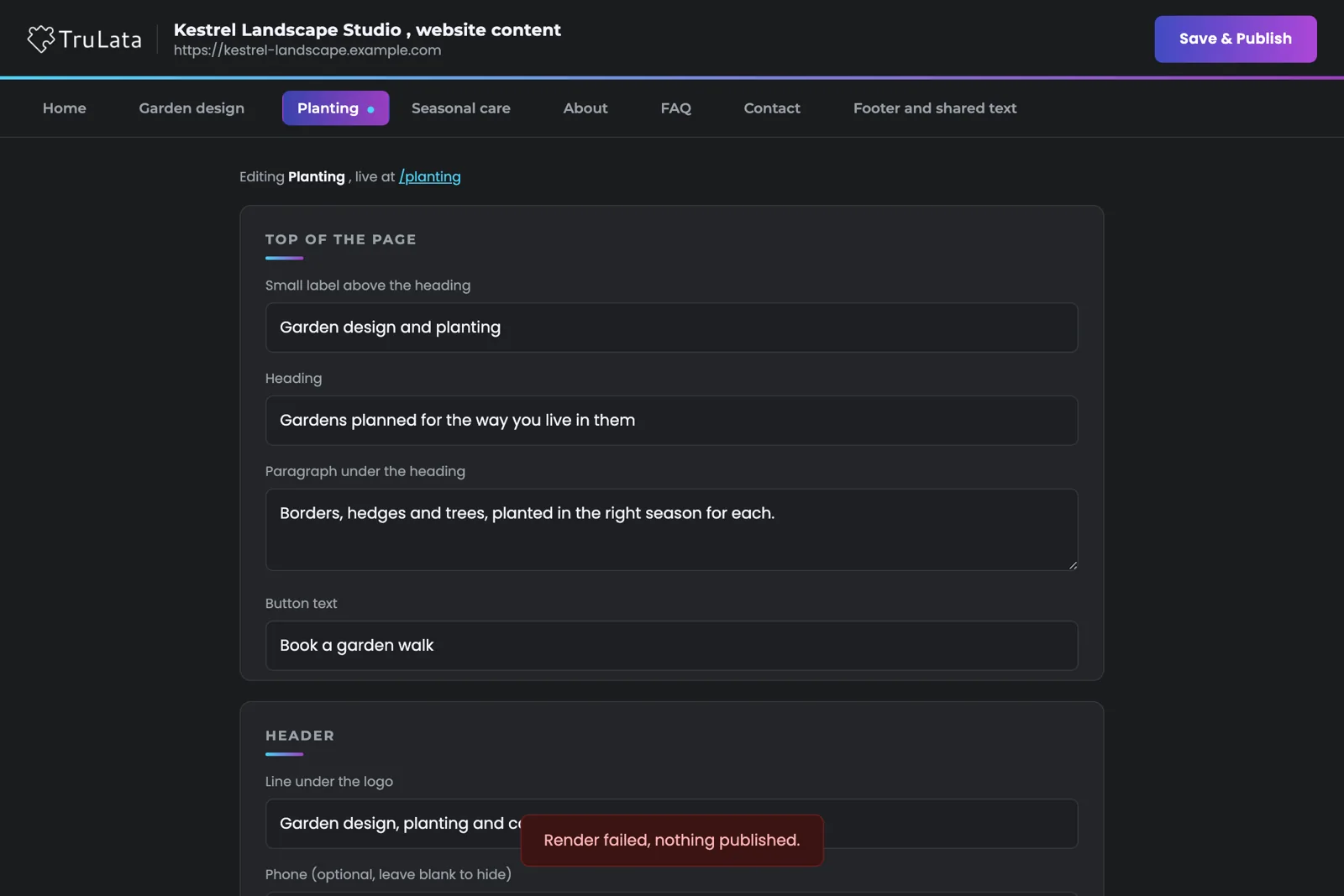
In about one to two minutes, after a clean render. A save validates the fields, writes the content file, re-renders every page of the site from it, and redeploys the result. A failed render restores the previous content and leaves the live site as it was. The deploy runs through one guarded script. It refuses to ship a directory without the site's own marker, refuses review furniture on a live domain, refuses a live site with no real error page, and then polls the live address until it sees the site's own marker serving.
When the editor says the site will update in about one to two minutes, the render has already finished. That window is the deploy and the check.
How do I know a fix reaches every visitor?
The URL changes, so every browser fetches the new copy. An edge cache serves the file it holds. Replace a script under the same name and every browser and edge location that already holds the old copy keeps serving it: the fix deployed, and the visitor still runs the previous version. That happened on a site we host. A script change shipped, the deploy verified, and the page kept running the old copy for anyone whose cache held it.
So the cart script on a selling site carries a stamp made from the first eight characters of the file's own content hash. Change the file and the URL changes, with no version number to remember. Heavy media that rarely changes, a hero video for instance, can cache for a year as immutable behind a version stamp of its own, so a repeat visit serves it from cache instead of refetching it, and a replacement is a new URL. The TruLata dashboards pin their scripts and stylesheet behind a version stamp the same way, and a preflight checks every pin before every deploy.
The cart script reference
- cart.js changes
- Stamped /_shop/cart.js?v=5d2284c1, the first 8 characters of its content hash
- A new URL
- Every browser and edge location fetches the new copy
The URL changes, so every browser fetches the new copy.
Does Google read the same page my visitors see?
Yes. A crawler fetches the finished page, so every word of your edited content is in the HTML as delivered, not assembled by a script after load. Each render also writes the housekeeping search depends on: a sitemap that lists every page and excludes the error page, a robots file that points to the sitemap, and canonical links on the site's main pages. The error page returns a real 404 status and stays out of the sitemap, so the list Google reads is the list of your real pages. Preview builds on the hosting alias carry a noindex header, so the live site is the one that gets indexed. Where you want answer-engine crawlers to read the site, the robots file names and allows them, groundwork for being cited by AI search.
A speed figure goes on this page once we have measured one to publish. The structural fact stands on its own: the page is finished before the visit, so the visit is one fetch from the edge nearest the visitor.
What each render writes for search
- Your contentIn the HTML as delivered, not assembled after load
- SitemapEvery page, the error page left out
- Robots filePoints to the sitemap; names answer-engine crawlers where you want them
- Canonical linksOn the site's main pages
- Error pageA real 404 status, kept out of the sitemap
- Preview buildsA noindex header, so the live site is the one indexed
Where does a static site draw its lines today?
It serves every visitor the same finished page, and it keeps the shop's money side on your commerce platform. A site that sells ships its own small cart and shop scripts, with price and stock fetched after the page renders, and checkout runs on your commerce platform. A store that already lives on another platform stays there; the static site redirects every store path to it, so every old link still lands. A contact form's handler runs server-side and emails you, and the page itself stays static.
Our team builds each site on this line and you edit it from the editor; the line runs on a small number of client sites today, and more join as they are built. Our website service is how a site gets onto the line.

Everything that ships to a visitor, in one table.
| On the visitor page | What ships | Why |
|---|---|---|
| HTML | Finished pages rendered at publish time | Rendered once, served as is |
| Editor code | On the editor's own address | Behind its own login, off the public page |
| Scripts | The site's own only: your analytics tag, where one is configured, the page's own interface script (menus, reveals), a form's submit handler, and the cart and shop scripts where the site sells | Every script is one the site needs |
| The cart script | Referenced with the file's content hash as a stamp | A change is a new URL, fetched fresh |
| Heavy media | A hero video can be cached a year as immutable behind a version stamp | Fast repeat visits; a replacement is a new URL |
| Error page | A real 404 status, left out of the sitemap | The sitemap lists the site's real pages |
| Sitemap and robots | Rewritten on every render | Crawlers read the same finished document visitors do |
| Preview builds | noindex header on the hosting alias | The live site is the one indexed |
Rendered once at publish, the editor on its own address, a failed render that leaves the live site as it was, and a changed cart script as a changed URL: each is how the site is built, not a promise about it.
Questions, answered.
Is there any JavaScript on my site at all?
The site's own: your analytics tag, where one is configured, the page's own interface script for menus and reveals, a form's submit handler, and the cart and shop scripts where the site sells. The editor stays on its own address, and every script on the page is one the site needs.
Does the editor slow the site down?
The editor runs on its own address behind its own login, and the public page ships without it, so a visitor sees the same finished page whether or not the site is editable.
How long after a save does the change show?
About one to two minutes. The site re-renders before the editor shows that message; the window is the deploy and the check on the live address.
What if a render fails?
The previous content is restored and the live site stays as it was. The editor reports the failure, so the save can be corrected and tried again.
Will a visitor ever see an old script after a change?
The cart script carries the file's content hash in its URL, so a change produces a new URL and every browser fetches the new copy.
Is the dashboard built the same way?
In how it is served, yes. TruLata is also a static page at the edge with its scripts pinned and a preflight before every deploy. The difference is that a dashboard fetches its live data when someone opens it, and a site serves the page as published, with price and stock fetched after render where it sells.
See it running
before you decide.
The demo is the real product on a fictional company, with your name and email in front of it. Pricing is three published tiers.
Open the live demo See pricing
New here? See what TruLata is. Prefer to write? Send us the one thing you want to know.
Start here: AI marketing platform · AI marketing software · all-in-one marketing platform · marketing automation software · marketing software for small business.
- Refreshed when you open itLive data on page load, never a monthly PDF
- Counted from your own formsLeads recorded server-side, compared daily with Ads and GA4
- Seen in AI answersHow often ChatGPT, Gemini, Claude and Grok name you, measured
- Every send loggedProspect emails leave from a review-first queue, and every send is logged.